Fabritius56
Guest
Good morning.
I am not usually asking questions about the forums and I hope to have reset the right place to expose my problem since I am a new member.
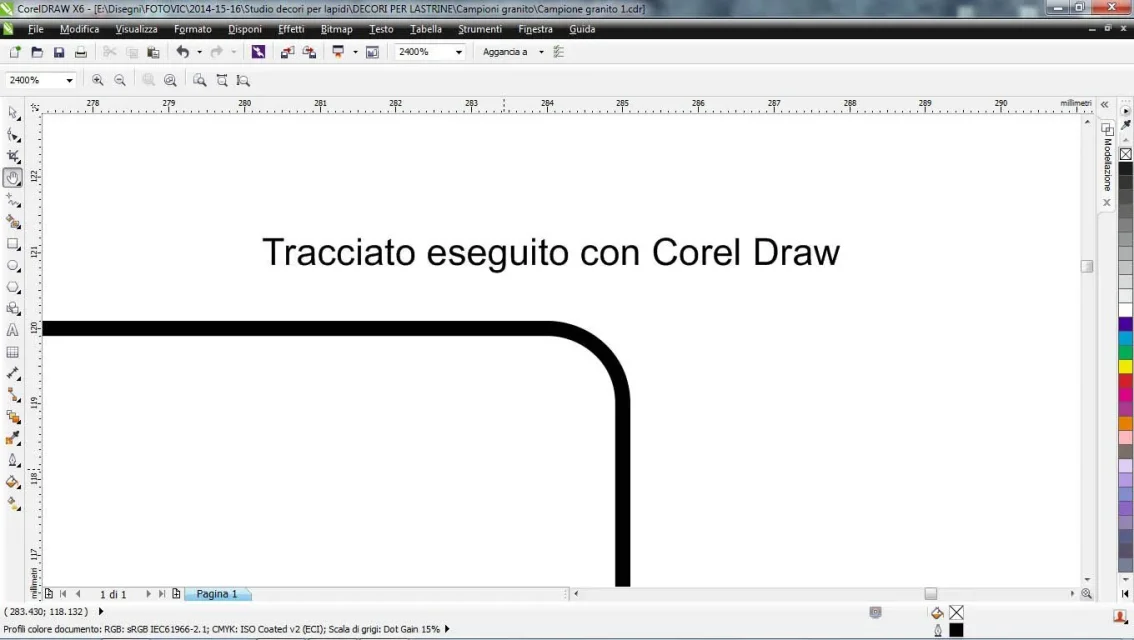
for creating vector track use chorel draw x6.
I need to convert these tracks to dxf or dwg to give instructions to a waterjet machine with numerical control.
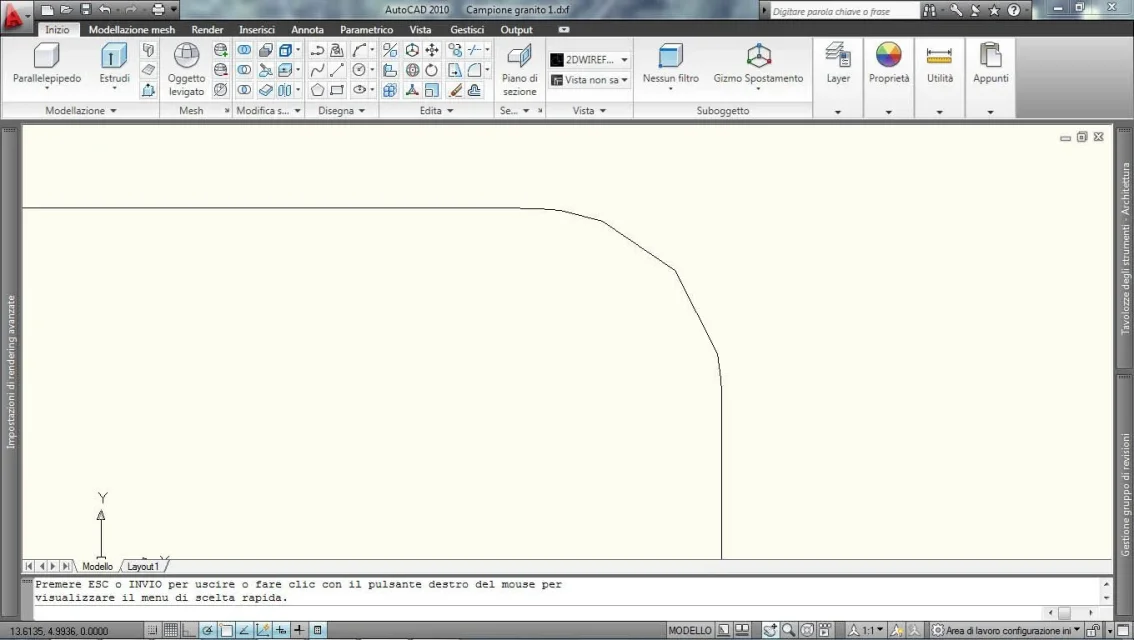
the problem that arises is that when I take the tracks and then I open them on autocad (use the 2010 version), the curves are actually broken while I need them to be real curves. the track obtained is a spline.
If I don't understand a thing about autocad, is there someone who kindly could give me step-by-step instructions to solve my problem?
I thank in advance all those who will kindly want to answer my question.
Good day to all.
I am not usually asking questions about the forums and I hope to have reset the right place to expose my problem since I am a new member.
for creating vector track use chorel draw x6.
I need to convert these tracks to dxf or dwg to give instructions to a waterjet machine with numerical control.
the problem that arises is that when I take the tracks and then I open them on autocad (use the 2010 version), the curves are actually broken while I need them to be real curves. the track obtained is a spline.
If I don't understand a thing about autocad, is there someone who kindly could give me step-by-step instructions to solve my problem?
I thank in advance all those who will kindly want to answer my question.
Good day to all.