• This forum is the machine-generated translation of www.cad3d.it/forum1 - the Italian design community. Several terms are not translated correctly.

quotas between multibody parts

  • Thread starter Thread starter stefer
  • Start date Start date

stefer

Guest
good evening to all, I write this post to ask if there is the way or possibly how can I manage its bodies in multibody mode... I have to give specific distance quotas between the two bodies, but I didn't understand how to do it.
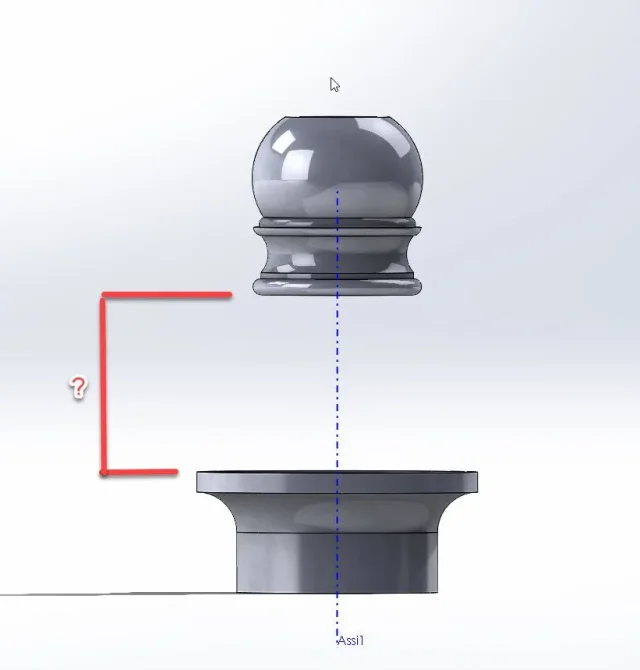
I specifically attach an image to you... I should be able to give the vertical distance between the two bodies, which have already been centered in concentric mode. Is there a way? thanks in advance. stefano.
1.webp
 
when you do the sketch of revolution insert the size, what is the problem?
 
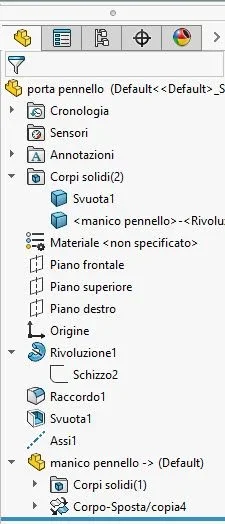
Hey, Mass, you're right. I omitted an information. the top part is a body that I designed in a separate file and then I imported into the bottom design using the command "insert/part" ... I attach the feature manager... I apologize for the inaccuracy.
steak 2.webp
 
nothing changes if the body is imported.
why can't you/rent to quota by hooking the quota to the imported solid?
 
I tried but I can't make it... on the contrary if I create a new sketch on the front floor then I can give the quotas in reference to the two pieces... Maybe if I had first imported the piece and then created the sketch for the revolution I think it would have gone well... What do you think? I'll train your files! hello and thanks as always.
steak
 

Attachments

Well, sure. the function must stay after the body otherwise how does it look?
are the basics of modeling.
If you have to build a drawer for a furniture, but the furniture is not there, can you take references for the drawer? Of course not, the same thing in solid to build something with references is necessary that the referenced entity is placed before that to build
 
exact thanks to massive... I tried to drag the imported body before the revolution, but it doesn't allow me... doing so I would have solved. . .
 
because you have made a concentric position with the function of revolution.
you can't move an item over a function you refer to.
then you must place the imported part to the plan or origin, but not to the function
 
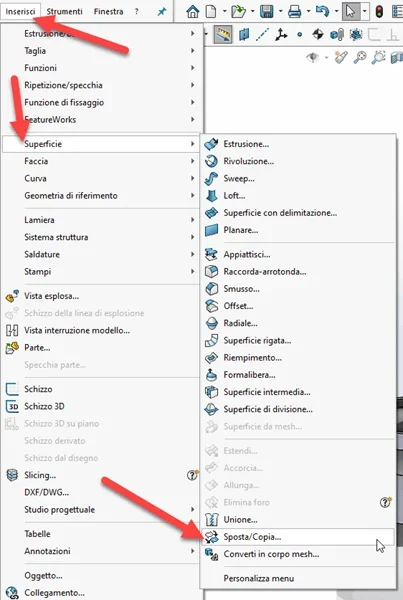
Mass, I'm sorry, I'm asking you a further question. when they are under the axiemic environment, I use the couplings to tie the plan to the drawn piece. but when I am under multibody environment I can use to do the same thing? move/copy bodies under surface?
 
move/copy bodies sotto surface
What does that mean?
how did you use the move/copy in that part? selecting 2 circular entities giving the bond; do the same to place it compared to a floor
 
Sorry, I wasn't clear. I meant that to couple the solid to the planes, is it right to use this function that I place below? or is there a dedicated even if we are out of the environment together?


1586429359142.webp
 
is the same function that you find under the insert>>functions... identical; because they put it in two different menus I don't know
 
It's the same thing... okay... Now this thing is clear to me. .
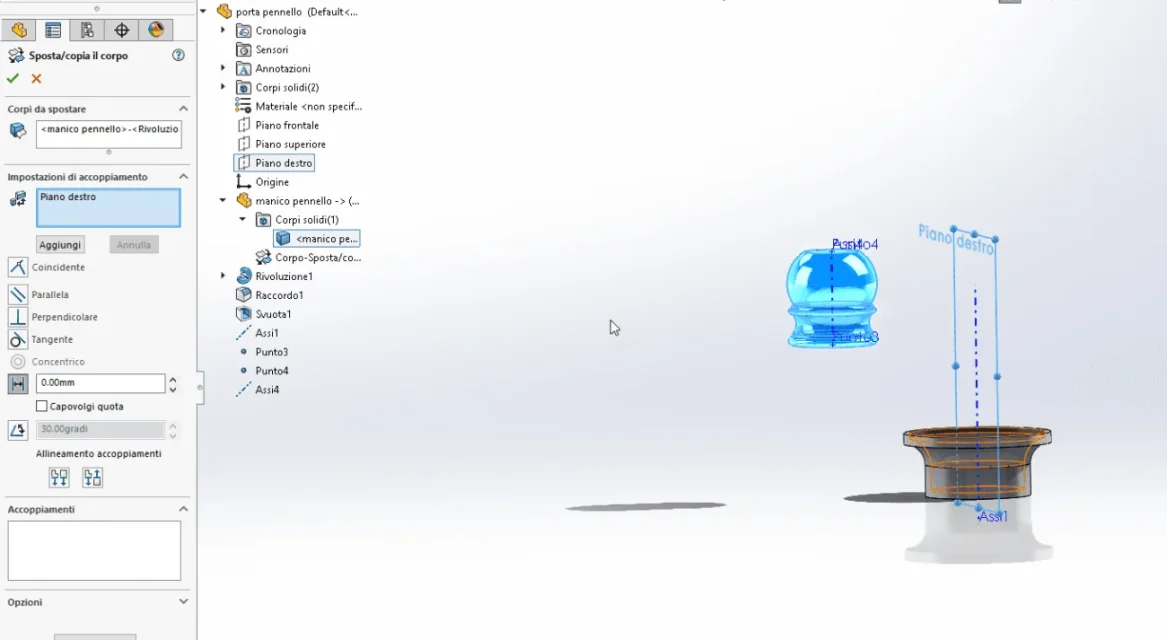
But I can't do something... I would like to put the imported solid (handpiece) with the right floor that passes through its center... but I can't find the combination of the coupling... I also created a central axis... But nothing... You know how to do this? Thank you! stefano
1586436525277.webp
 

Attachments

excuse stefer, but why go to complicate life with insertion of a part inside a part when what you are doing is to all effects a set? together the assembly is much more intuitive and fast. inside the parts the couplings are more ostic to do. In your case, if you'd been in the house, you'd have proposed that mating.
 
Hello drake, thank you for the answer... I thought I'd do this because then I have to use the upper part as a "hot" to build around the entire suspension part to hold that handle elevated to that jar and it was more convenient to use the sketches of the design environment than that of together.. What do you think?
 
there may be various reasons to insert a part for example to build multiple files of part that have in common an element, the handle in this case, which in case of modification will fit.
stefer, you can never mate because when you entered the part you didn't import the plan but only the body. right-click on the body, change function and see if it allows you to import plans.
 
I have not understood your need, but what you can do by taking the references of a part both monobody and multibody you can do even if those bodies are internal parts of a set
 
I checked and you can import plans later. then right button, change function, tick to floors
 

Forum statistics

Threads
44,997
Messages
339,767
Members
4
Latest member
ibt

Members online

No members online now.
Back
Top