• This forum is the machine-generated translation of www.cad3d.it/forum1 - the Italian design community. Several terms are not translated correctly.

reference plans

  • Thread starter Thread starter Solid User
  • Start date Start date

Solid User

Guest
Hello, everyone.
I am moving the first steps in solidworks, coming from other cad3d.

I write to ask you if there is a way to block the main reference plans in size and position. both in the environment part and in the assembly environment, if I click on a plane the four edges and the four middle points are highlighted; by clicking on it and dragging notice that the plan can flow and expand.
Is there a way to block this feature?

I would like to have the main reference plans always baricentric with the origin and a fixed measure.

Thank you, hello!
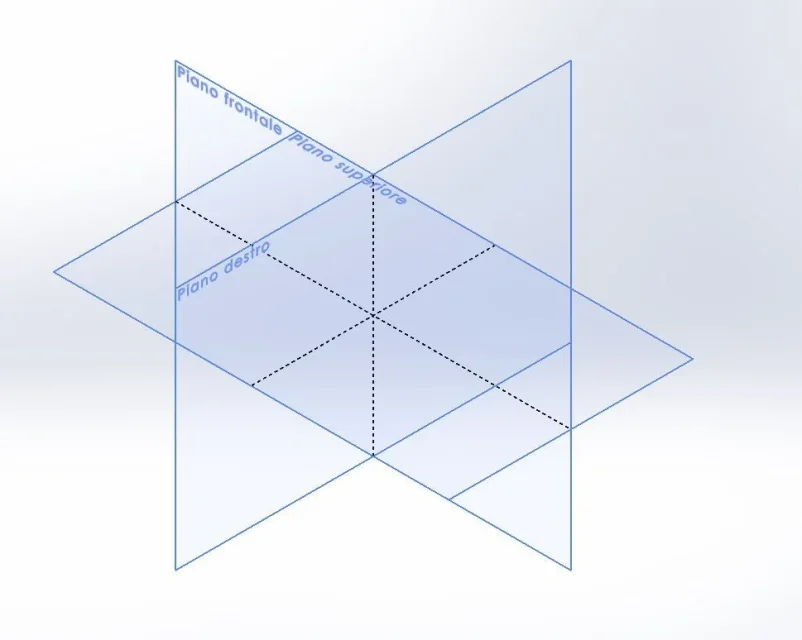
 
I don't think that's possible. plans are sizeless.
What would be the need for such a bond?
 
the need arises from wanting to have a stable, well identified and easily identifiable point of reference. the fact of having the reference plans that can "slit" makes lose sight of the origin.

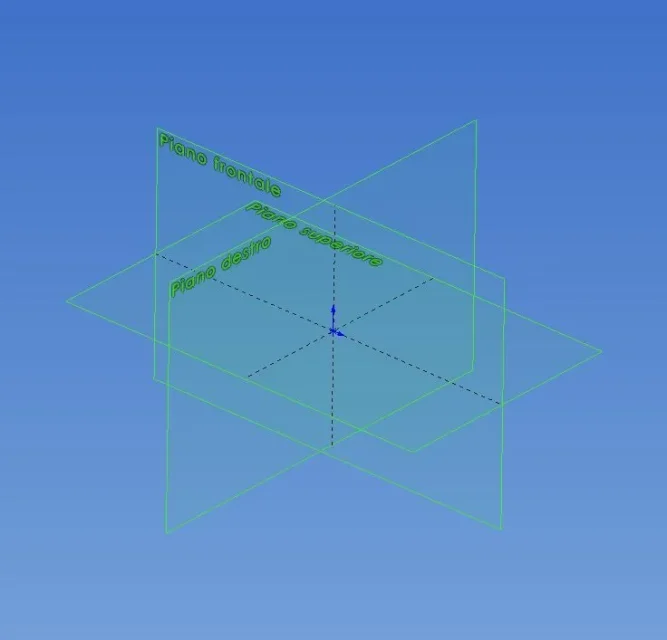
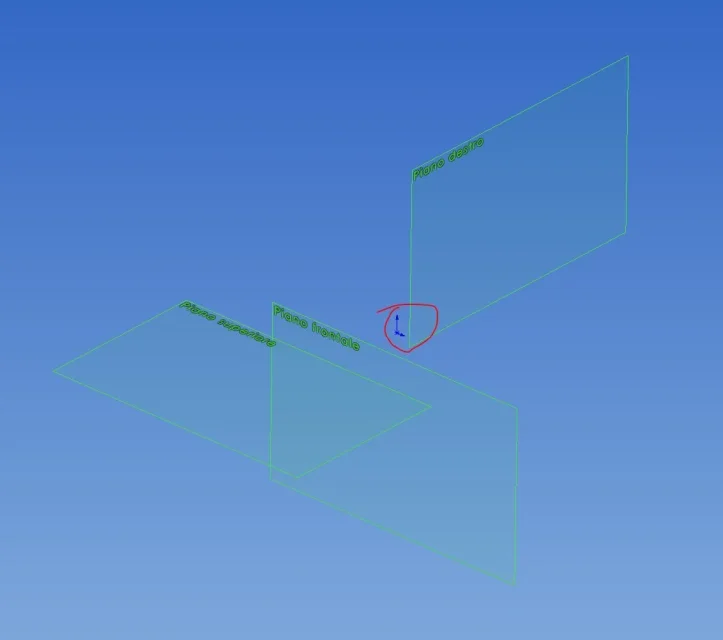
floors in original position, origin at the center of all three floors Capture.webpIroned floors, origin at a random point Capture 2.webpoften I happen to assemble the subaxis using the reference plans.

I have noticed that even the reference plans of subaxes already completely bound are easily ironable. I don't like what. I wish they were fixed in position and size.

if someone comes up with a solution. . .

other question. Is there a way to quickly show and hide the reference plans of the selected subaxieme?

Thank you all.

Bye!
 
Hello, everyone.
I am moving the first steps in solidworks, coming from other cad3d.

I write to ask you if there is a way to block the main reference plans in size and position. both in the environment part and in the assembly environment, if I click on a plane the four edges and the four middle points are highlighted; by clicking on it and dragging notice that the plan can flow and expand.
Is there a way to block this feature?

I would like to have the main reference plans always baricentric with the origin and a fixed measure.

Thank you, hello!
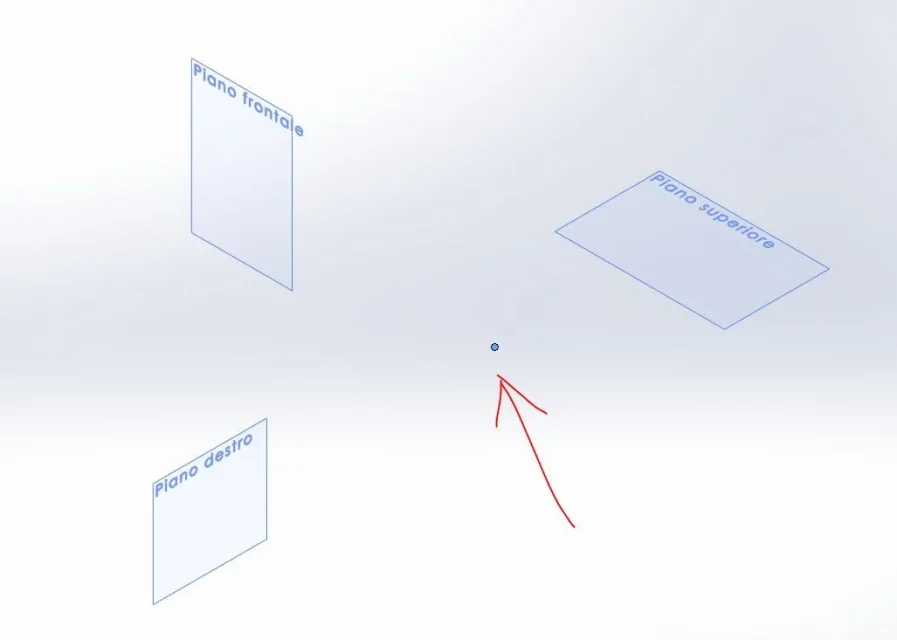
even if you move them, the origin always remains fixed in the three dimensions, so the problem does not exist. If you want you can save your templates with the "aligned" plans as you wish. but remember that it is only a visual change and does not involve the shift of origin, which you may have disabled from the display.
 
Thanks for the answer. that the origin was fixed I noticed.

I don't like having the chance to move the view of the plans. I wanted to know if there was a possibility to lock the display in position and size.

in the template I have them as in the first figure I attached.

Thank you, hello!
 
if you want to have under eye the origin you put it visible (right button on the origin hide/show) and screen display http://help.solidworks.com/2014/italian/solidworks/sldworks/t_view_origins.htmsame procedure for plans http://help.solidworks.com/2014/italian/solidworks/sldworks/t_view_planes.htmYou can't just hide a part's plans if you don't select them. you can hide them all at once with the method indicated above or assign a button to hide all types http://help.solidworks.com/2014/italian/solidworks/sldworks/t_hide_all_types.htm
 
Thanks for the answer. that the origin was fixed I noticed.

I don't like having the chance to move the view of the plans. I wanted to know if there was a possibility to lock the display in position and size.

in the template I have them as in the first figure I attached.

Thank you, hello!
do not confuse you, that the plans can be ironed or moved side by side is an account, but moving them from origin is impossible if not creating another plan, as you will well know.1.webp2.webp
 
Thank you mike67. I never doubted that the reference plans were fixed compared to the origin, so I used the term "slit". I wanted to indicate that the view of the plan was moving on the same floor.

Bye.
 
Thank you mike67. I never doubted that the reference plans were fixed compared to the origin, so I used the term "slit". I wanted to indicate that the view of the plan was moving on the same floor.

Bye.
to say that to find them on the screen you must first make them visible by default and then just click on them and drag them or resize them. Just a minute of attention and nothing happens :smile:
to me, since 2000 I use swx, it never happened.
when I have to use one of the reference plans for constraints I tend, unless really particular cases, to click on the icon of the feature manager. in the end it is more convenient because I am not bound to zoom or pan so I would miss the screen plan and not risk to confuse them with other auxiliary plans that maybe at the same time I have to keep displayed.
 

Forum statistics

Threads
44,997
Messages
339,767
Members
4
Latest member
ibt

Members online

No members online now.
Back
Top