
• This forum is the machine-generated translation of www.cad3d.it/forum1 - the Italian design community. Several terms are not translated correctly.

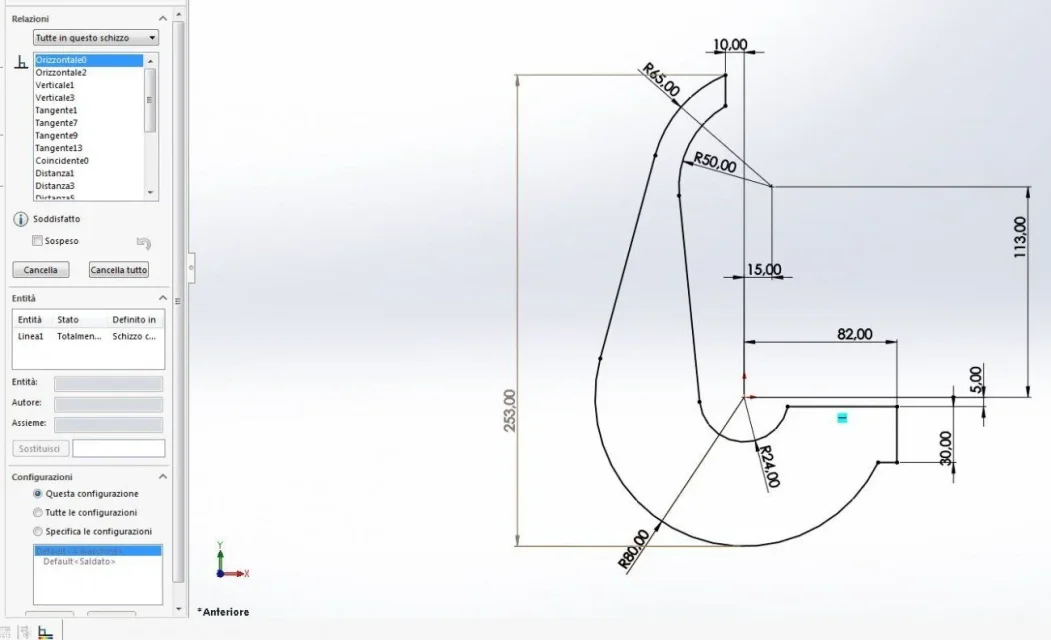
related sketch

  • Thread starter Thread starter genesis1975
  • Start date Start date

genesis1975

Guest
hi, I'm mounting the same spring on several assemblies and to make it stretchable in the first together I opened the spring sketch and I gave it coincident between the point at the end of the spring and the axis where it needs to be hooked and works.
Now the problem is that when I go to mount the same spring on another set, it gives me the question mark on the sketch, that is, the sketch already has a relationship of coincidence with the other together, and it does not take me the coincidence in the new together... How do I do that?
 
Did you make a copy of the spring before you put it in the new set?
the copy, obviously made with the pack or with save as a copy, is essential not to change obviously the assimis created previously.
when you open the new set, you will issue the part inside the axieme and erase the old bond inside the sketch and then give the new bond. . .
 
thank you so much, it was like I thought, but I wondered if you could use the same part in case of changes...to copy it I make selection button dx copy and paste....not okay?
 
to check if possible to do so with 2012.
first set the possibility to allow multiple contexts in system options
later when you insert a bond between the part and an external reference this bond can be subsequently suspended (attention, suspended, not deleted) then allows you to make different configurations each linked to a different external reference
 
then the specification of mass of course is fundamental. I told you that it would be good to make the copy-paste of sw not that of win. that of sw you can do it by exploring resources with the dx button and then pack&go, or with the name saving by setting saved as a copy. the copy of win made on simple parts that do not have external references can be made, but it is always better to do with the appropriate functions also x get used to and avoid problems.
 
I did it with a copy of win, then I checked the references, I saw that they weren't the ones from the folder from which I copied it...that is, with the copy of win change the references if I save as a copy remain the same references...right? apart from this thing you risk using win copy?
 
references do not change between a copy system and the other, but instead are lost
with the copy of win changing folder the reference is lost
with the copy of solid changing folder the reference is kept in memory.

goes from if that if a file is copied from one folder to another it does not make sense to maintain old references, which are then deleted allowing the use of new references; the use of contemporary references to different files only makes sense if the same file, therefore not copies, is used on multiple assemblies.
 
ok thanks it is clear...now not to be making configurations for the same spring....as you can do...the same spring, even if it is inside a set twice, once it will be hooked to the pin to and another time to the pernob....so they are two different relationships. ..but they must have the same name (which is the code)...but two parts with the same name can you?
 
but two parts with the same name can you?
windows allows you to have in the same folder 2 files with or same name? No, so you can just do it by putting them in two different folders.
a parametric cad requires a good organization of files and references and you can not think of doing things to good thinking of saving time to make configurations, to remake a particular, to use logical origins and plans, to structure folders... then go out holes the messes that make you lose the triple of the time you thought you had saved
 
So, as long as 2012 allows, I have to make different configurations for the same spring...after enabling the option you said, I reload in the new together the same file, I suspect the bond and give it the new one and then how do I apply to the new configuration?
 
I have allowed multiple contexts, but then you can suspend a bond, but how do you suspend a geometric relationship in the sketch of coincidence?
 
file properties within the axieme and select the desired configuration.
but how do we suspend a geometric relationship in the sketch of coincidence?
inside the sketch shows/elimina relationships, select the relationship to be suspended, suspended assets taking care to set this configuration
 

Attachments

  • Cattura.webp
    Cattura.webp
    43.8 KB · Views: 10
Thank you... I try to.. ..but I wanted to tell you that I tried to make a copy with pack and go of one part, I put it in another folder, then I looked at the copy references and they weren't the first ones, the copy didn't point in the folder where the original was, that is, the references had changed. . .
 
not if you copy only the part without the reference file (along with your case).
when you make the pack&go you can only copy the part excluding the reference file (assieme); in this case the reference remains the original one; if instead when you make the pack&go also copy the reference file (assieme) rightly the references change
 
first I go into the spring file with the configurations and select the one with the name I gave him of the corresponding set and I save, then within the axieme, I go into the spring sketch, I suspect the bond in this configuration then I try to give him the new relationship of coincidence between point and axis but as in the coincident click figure but not me the relationship1573228621405.webp
 
It works for me. usually from an error message when it does not allow a relationship.
make a copy of the axieme and clean it from all the uninteresting files from the problem so make a pack&go and then attach it; in the pack&go will have to be theoretically: two files together, two files to which reference is made, 1 configured file
 
Wait a minute... I'm lost... I put too many things together I'm messing up. ..before all if there are two equal springs in each set I have to make two configurations for each set? After this question for today I close... I go or the springs of one assembly or the springs of another... and in the suspended relationships I remain the question mark. . We're hoping to solve this...
 
when a single component varies its characteristics must have a configuration by variation.
in the same together you can put as many configurations as you want (this is the case of screws for example).
if in a set you have 5 different sizes of the same spring code you will have 5 configurations.
If in a set you have a long x spring and in another set has the same long z spring you will have a configuration for the first set and one for the second for a total of 2 configurations.
defined this:
in a set insert the spring with x configuration and bind the sketch to this together.
in the other together insert the same spring, but with configuration z, in the same sketch visualize the relationships, select the one referred to the other together and suspend it, then give a new relationship to the current axieme.
if all this is complicated to manage, inside the spring you create a sketch that represents the length and that will be bound individually for together and create n springs by activating and suspending for each configuration the functions involved
 
Okay, I'll do this again on Monday....for the other topic, instead, file references... if I have a folder containing a set and its parts pointing in the same folder, and other parts of the set that have references in another folder of shared parts....and I have to make another copy together, another project that has so many parts in common with what I already have....I don't want to remake everything but I want to make any changes, so I have to start with if I make pack and go it interrupts me the original references and puts all the parts in the same folder but all in the copy point in the folder itself.. .
 

Forum statistics

Threads
44,997
Messages
339,767
Members
4
Latest member
ibt

Members online

No members online now.
Back
Top