• This forum is the machine-generated translation of www.cad3d.it/forum1 - the Italian design community. Several terms are not translated correctly.

remove the outside window in the layout print

  • Thread starter Thread starter Giovannino60
  • Start date Start date

Giovannino60

Guest
1) how to remove the external square in the layout space https://s32.postimg.org/l3btdntr9/per_togliere_contorni_esterni.jpg
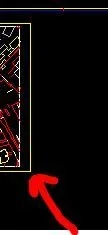
Per_togliere_contorni_esterni.webp2) I don't understand how to scale in layout, I did the rectangle in layout, I see the image, then I clicked on the rectangle, and I tried to put in scale already predisposed in stairs windows, example 2-1 that should shrivel the image inside the rectangle instead it gets bigger.

Thank you.
 
Last edited by a moderator:
1) how to remove the external square in the layout space
Have you not yet learned to attach images in the message instead of external sites? on that it is not difficult. . .
the modes for the window pane are two:
or turn off the layer dedicated to the window (because it must have a dedicated layer of course) or put it in printable mode
2) I don't understand how to scale in the layout, I did the rectangle (maybe you wanted to say window) in layout, I see the image, then I clicked on the rectangle, and I tried to scale already predisposed in stairways windows, example 2-1 that should shuffle the image inside the rectangle instead it enlarges.
sin that scale 2:1 (and not 2-1) is a scale of enlargement as should any designer know while the scales of reduction are 1:2 1:5 1:10 and so onhttps://it.wikipedia.org/wiki/scala...ecnico_e_meccanico_.28rif._uni_en_iso_5455.29
 
in autocad 2010 do not find the layout button to make the selection rectangle that instead I find in autocad 2013, where can I find it in autocad 2010?
I imported in autocad 2010 a file made with autocad 2013, when I go to the visual layout, the image is gray and not black as it is in the model (always in autocad 2010), how do I make it black?
Thank you.
 
the layout button to make the selection rectangle
What are you talking about? selection of what? Layout button?
the image is grey and not black as it is in the model
are program settings and not drawing. tools>options and look for a tab with color set
 
1) the model screen is black and instead the one in the layout is gray, and do not find where to change it, in autocad 2010?
2) is what I find in autocad 2013 i.e. layout>latestre layout>retangle that I do not find in autocad 2010?
 
1) the model screen is black and instead the one in the layout is gray, and do not find where to change it, in autocad 2010?
I already answered you. but I repeat
tricks>options and look for a tab with color set
in autocad 2010 do not find the layout button to make the selection rectangle that instead I find in autocad 2013, where can I find it in autocad 2010?
with the layout button, you don't make any selection rectangles (which I reply later) but access the layout tab commands. and do not find it in autocad 2010 because, if I don't remember badly, on were still present the mode with ribbons.
2) is what I find in autocad 2013 i.e. layout>latestre layout>retangle that I do not find in autocad 2010?
that is not a selection rectangle. That's the window. try reading the guide and find how to create it.

If you use correct terms it would be easier to understand what you're talking about. and even if circumstantial phrases without throwing them with numeretti that say nothing.

But could you explain to me how the first post can put the window while the third one can't find the command?
 
Layout.webpSpazio modello.webpthanks for the answers

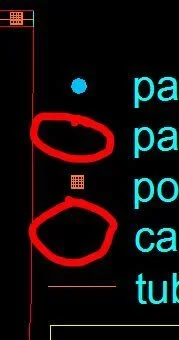
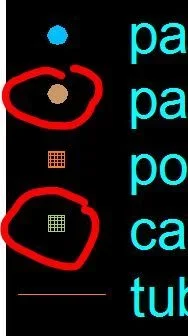
I don't understand why for lines, in the model I designed them and you see them regularly (colored ring and square with retino inside), when I go to the layout I don't see them. I also checked the layer and have no different blocks?
 
I also checked the layer and have no different blocks?
It's a phrase that doesn't mean anything. the layer has no blocks.
you will have the frozen layer... Maybe.

I'd say you have to take a nice course or find some tutorials because it's a lot of fun.
 
I have already reiterated at least three times that it would be time to take a course as you must but obviously from that ear you do not feel. I've stopped giving him a hand. You don't come out. and all the time he comes out with a problem that in the past someone had already solved him but obviously does not remember how to get out.
 

Forum statistics

Threads
44,997
Messages
339,767
Members
4
Latest member
ibt

Members online

No members online now.
Back
Top