GP.
Guest
as-profile calculates the profile 2d, to insert the cartouche uses, in autosez, "data extraction\profile\poliline 2d on the floor", setting the right "first step" e idonea "reference share".


Hi, gp,as-profile calculates the profile 2d, to insert the cartouche uses, in autosez, "data extraction\profile\poliline 2d on the floor", setting the right "first step" e idonea "reference share".
View attachment 52924
 clearer so
Hi, gp,If you want the lines to be considered, you can turn them into polylines.
pays only attention to 2 basic requirements:
- non can be on the layer sections
- must have have equal initial z and final
I don't understand... you say you solved for 22 pickets and your work file doesn't work...
Hi, gp,If you want the lines to be considered, you can turn them into polylines.
pays only attention to 2 basic requirements:
- non can be on the layer sections
- must have have equal initial z and final
I don't understand... you say you solved for 22 pickets and your work file doesn't work...
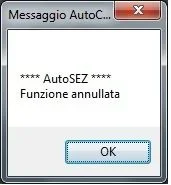 I press that I followed the instructions for uploading, i.e. I entered the path from "options--->file---> search path of support files ----> and then I entered the address of the folder that in my case is this: "c:\program files\autodesk\autocad 2017\autosez_2".
good morning and thanks for the answer, problem solved, at the moment seems to work perfectly. thanks gpgo to the path you see in the localrootprefix variable and delete the autosez_2.dat file
Try. .

So, let's see.... to not launch the triangle lisp you should (1) launch another, (2) switch to a sub-function and then (3) launch it from there... o_o...is it possible in utilities to insert the triangular function? to create a dtm? It would be very useful, so I shouldn't call back the command of the triangulated lisp you suggested.
1) Look well that in the zip there is also the help file1) for other options where I can find help required by the autosez_2.chm program was not in the autosez_2.zip file?
2) you can change the colors in the program or only after with the cad.