• This forum is the machine-generated translation of www.cad3d.it/forum1 - the Italian design community. Several terms are not translated correctly.

(autosez 2) soil sections and profiles - automatic extraction

as-profile calculates the profile 2d, to insert the cartouche uses, in autosez, "data extraction\profile\poliline 2d on the floor", setting the right "first step" e idonea "reference share".
612.gif
 
as-profile calculates the profile 2d, to insert the cartouche uses, in autosez, "data extraction\profile\poliline 2d on the floor", setting the right "first step" e idonea "reference share".

View attachment 52924
Hi, gp,
you are a great!!! thank you really, this gif image is fantastic;) clearer so
I also wanted to ask you....in the first profile I'm dealing with I have 121 total spikes (of which 22 I solved automatically with the method as above) for the other picchetti mostly lines always at a certain quota between the level curves... can I solve using: data/model/poliline 2d and spline 2d correct? why not develop a way to get a profile that automatically reads level curves and simple lines at altitude always from only "polyline in red"? :

Finally your method as above in my work file doesn't work... I attach you below what autocad writes in the command line:
"command: as-profile
select the section polyline:
select the level curves
select objects: specify opposite angle: found(s) 1815
select objects:
error: type of wrong topic: numberp: nil
impossible to call (command) from* error* without first calling (*push-error-using-command*).
we recommend conversion (command) of calls to (command-s). "

I hope to be clear
thanks always for your availability I owe you at least a lunch ^_^
soon
 

Attachments

Last edited:
If you want the lines to be considered, you can turn them into polylines.
pays only attention to 2 basic requirements:
- non can be on the layer sections
- must have have equal initial z and final

I don't understand... you say you solved for 22 pickets and your work file doesn't work...:unsure:
 
If you want the lines to be considered, you can turn them into polylines.
pays only attention to 2 basic requirements:
- non can be on the layer sections
- must have have equal initial z and final

I don't understand... you say you solved for 22 pickets and your work file doesn't work...:unsure:
Hi, gp,
I think they have to be polylinee 2d to work. . . .
yes in my mother file does not function the as-profile command in fact I copied the layers that interested me in a new file and I could create the profile with 22 spikes because intersection on the level curves the remaining 100 spikes -.-' are apparent intersection on 3d polylinese for this does not see

are a great gp;)
 
If you want the lines to be considered, you can turn them into polylines.
pays only attention to 2 basic requirements:
- non can be on the layer sections
- must have have equal initial z and final

I don't understand... you say you solved for 22 pickets and your work file doesn't work...:unsure:
Hi, gp,
Given that the lines I want to transform are already 3d polylinees and that at present I cannot make them consider them in the creation of the profile.
I turned with your lisp "32", the polylines from 3d to 2d but I also change the odds of the same bringing everything to altitude 0.
can polylines (from 3d to 2d) be transformed without changing quotas? Thank you.
 
Lisp 32 is not mine.

This is my... ;)transforms polylinee 3d in polylinee 2d with elevation corresponding to the share of the first summit of the original polylinea"
 

Attachments

good morning to all, I press that the lisp is well done and I use it for a little time without problems even on autocad map3d 2017.
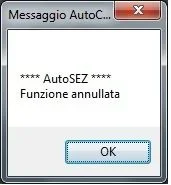
this morning by necessity I tried to load it on my home station, always with map3d2017, the first time it worked correctly, after a restart of the pc, writing the command to activate it "as", I appear the window in the center of the screen with written "autosez works cancelled", the same screen that appears when once activated the lisp then we close it without starting anything.asez.webpI press that I followed the instructions for uploading, i.e. I entered the path from "options--->file---> search path of support files ----> and then I entered the address of the folder that in my case is this: "c:\program files\autodesk\autocad 2017\autosez_2".
I then uploaded the lisp from the section "manage"---> charge application, once loaded I added it to the "work group" so as to charge it automatically at autocad startup.
Did I miss anything?
Thank you.
 
go to the path you see in the localrootprefix variable and delete the autosez_2.dat file
Try. .
good morning and thanks for the answer, problem solved, at the moment seems to work perfectly. thanks gp :)
 
hello to all kindly someone could send me the lisp
as-profile?

I have searched the forum
I downloaded it but I can't extract it from zip compression
I'm wrong.
someone and so kind to send me the working lisp or that I can decompress? I thank in advance anyone who reads my request for help.
 
I renew my thanks,
Does anyone have a lisp or a cad application that transforms into trianulation a cloud of points or points detected with gps?
I'd be very grateful if someone gives me a tip, or gives me a hand to find something that suits me.
 
gp
Good morning.

Thank you very much for the tips. and for the lisp.

I was curious about the discussion and I downloaded your autosez_2 program too

I find it fantastic, I also had a way to do tests, and I have to say that it can come back useful without having to pass by other software.

I wanted to ask you something, even if I think you don't want to distort your application,
is it possible in utilities to insert the triangular function? to create a dtm? It would be very useful, so I shouldn't call back the command of the triangulated lisp you suggested.
I'd be grateful if I could.

Thank you in advance. I'll wait for your match.
greetings
 
I tried part of the autosez_2 program thanks gorgeous.
for now I only set:
launched as and selected
on data extracts : lines and 3d polylines
on drawing and section : on paperboard
and selected the line generates me the section

even if it's the lisp I was looking for, I have questions to ask:
1) for other options where I can find help required by the autosez_2.chm program was not in the autosez_2.zip file?
2) you can change the colors in the program or only after with the cad.

excuse me but I still have no familiarity with managing the site
Thanks again
 
...is it possible in utilities to insert the triangular function? to create a dtm? It would be very useful, so I shouldn't call back the command of the triangulated lisp you suggested.
So, let's see.... to not launch the triangle lisp you should (1) launch another, (2) switch to a sub-function and then (3) launch it from there... o_o
without considering the fact of entering the program of another author in mine. :unsures:
 
1) for other options where I can find help required by the autosez_2.chm program was not in the autosez_2.zip file?
2) you can change the colors in the program or only after with the cad.
1) Look well that in the zip there is also the help file
2) you can change the colors only in autocad, but if you already create the layers of autosez with the colors you want, you find them in every new dwg.
 
Hi, gp,
rightly thinking about us well after your punctuation, you are fully right.
Thank you very much cmq for the help and suggestions.
 
a greeting to all
thanks again of the program lisp autosez_2 stupendous.
the program extracts one section only from one line, but for the polylines?
There are probably updates to the autosez_2 program in terms of extinguishing a silky even from a polyline.
if there are other newer versions tell me where to take them
thanks angel123
 

Forum statistics

Threads
44,997
Messages
339,767
Members
4
Latest member
ibt

Members online

No members online now.
Back
Top